
With the advance of technology, various digital solutions have been created to make people's lives easier. One of these solutions is Digital Identity, an application that allows you to have your identity in digital format and access it quickly and securely.
In this article, we'll show you how to download and register for the Digital Identity app. This way, you no longer have to carry all your documents with you, just using your cell phone for identification.
What is the Digital Identity application?
Identidade Digital is an application that allows you to have your identity in digital format. With it, you can access information such as your name, CPF, ID and driver's license data, among others.
You can also access documents such as your National Driver's License (CNH) and Vehicle Registration and Licensing Certificate (CRLV).
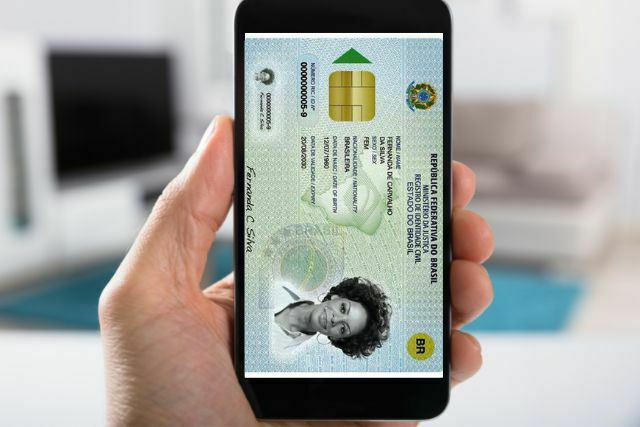
The application is secure and uses facial recognition technology to guarantee the authenticity of the information. With it, you can access your identity quickly and easily, without having to carry physical documents.
How do I download the Digital Identity application?
The Digital Identity app is available to download from the Android and iOS app stores. To download the app, follow the steps below:
- Open your smartphone's app store (Google Play Store for Android and App Store for iOS).
- In the search bar, type "Digital Identity" and click on search.
- Click on the "Digital Identity - Official Documents" application.
- Click on "Download" or "Install".
- Wait for the application to download and install.
How do I register for the Digital Identity application?
To register for the Digital Identity application, you need to follow a few simple steps. Check out the steps below:
- Open the Digital Identity application.
- Click on "Create account".
- Enter your CPF and click on "Next".
- Fill in your personal details, such as your full name, date of birth, telephone number and e-mail address.
- Create a password to access the application.
- Check your phone number.
- Verify your identity using facial recognition.
- Read and accept the application's terms of use.
- Click on "Complete registration".
That's it! You are now registered with the Digital Identity app and can access your identity digitally and securely.
How do you access your identity through the Digital Identity app?
To access your identity via the Digital Identity app, follow the steps below:
- Open the Digital Identity application.
- Enter your social security number and password.
- Verify your identity using facial recognition.
- That's it! You can now access your digital identity via the Digital Identity app. It is important to remember that the information contained in the digital identity has the same legal validity as the information contained in physical documents.
Conclusion
The Digital Identity application is a practical and secure solution for accessing your identity digitally. Find out more about these and other current affairs in our website.